
 AI Engineeringlearn · build · ship
Full-featured software for learning AI engineering, on your own Mac.
AI Engineering is a native Mac app that takes you from zero to production-capable AI engineer: 40 courses, 80 modules, and 400 interactive lessons with editable code labs, quizzes, and architecture decisions, a Project Lab with 40 portfolio builds, and a private AI tutor that explains the exact lesson in front of you, fully offline.
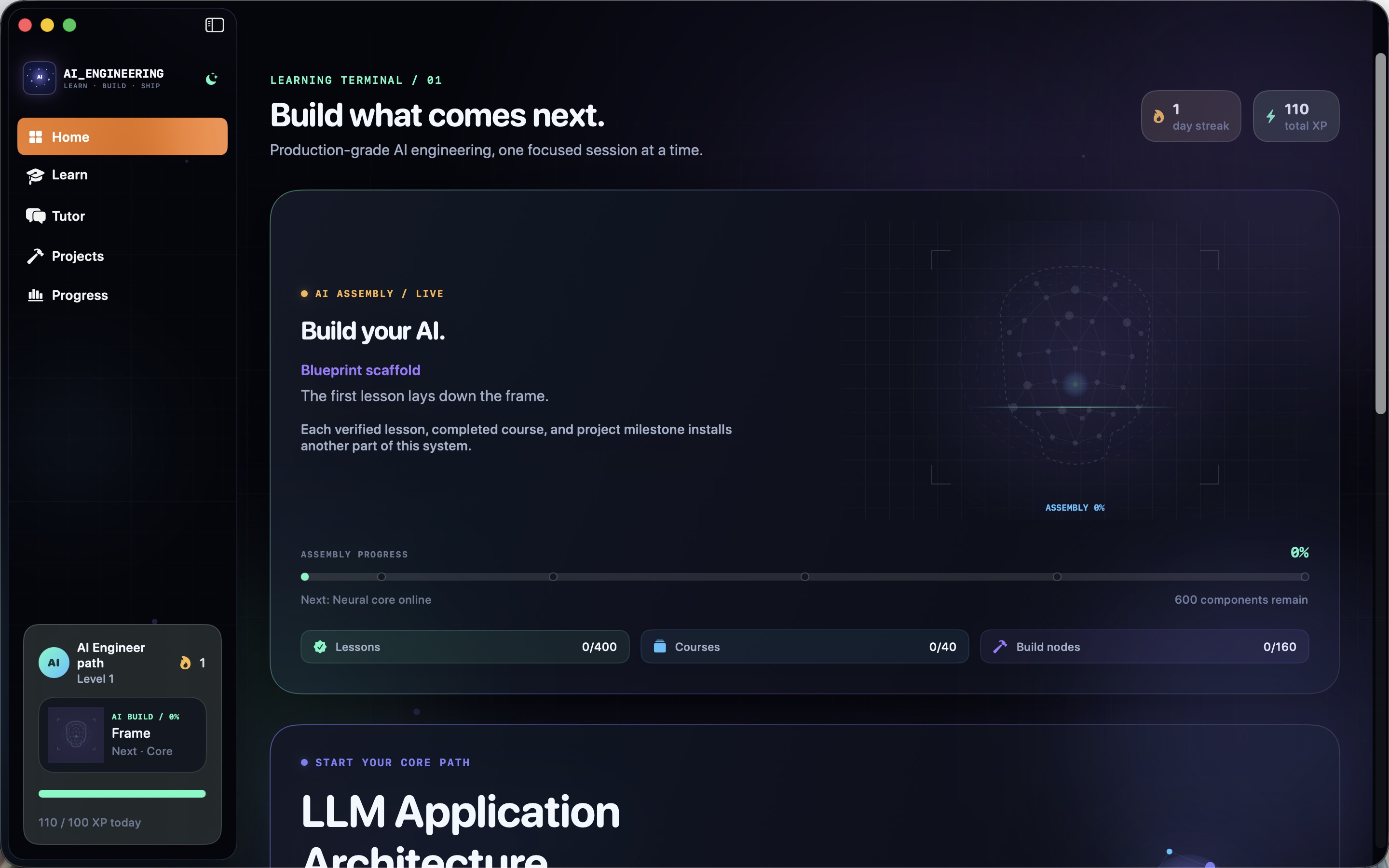
A complete AI engineering education in one app.
Every lesson pairs a substantive explanation with a practical challenge, progressive hints, validation, and feedback. The catalog holds 140 syntax-highlighted editable code labs, 100 quizzes, 80 architecture decisions, and 80 guided concept exercises.
The curriculum
From first Python to Principal AI Architect.
The 40-course path starts with computing and Python from zero, math intuition, and data foundations, then builds the modern AI engineering stack course by course, and finishes with staff- and principal-level capstones.
Foundations
Computing & Python from zero, math intuition for AI, data foundations, machine learning foundations, and neural networks with PyTorch: no prior experience assumed.
LLM engineering
Language models from first principles, prompt and context engineering, embeddings and semantic search, retrieval-augmented generation, and LLM application architecture.
Agents and evaluation
Agents and tool-using systems, agent protocols and multi-agent systems, evaluation engineering, safety and guardrails, and reasoning, planning, and test-time compute.
Production systems
Fine-tuning and adaptation, model serving and inference, LLMOps and observability, distributed AI systems, efficient models and quantization, and GPU performance engineering.
Specialist tracks
Multimodal systems, realtime voice AI, computer vision, speech and audio, search and recommenders, synthetic data, causal AI, graph AI, privacy-preserving AI, and AI red teaming.
Architect level
AI infrastructure on Kubernetes, platform architecture and developer experience, governance and compliance, research-to-production engineering, and the Staff and Principal AI Architect capstones.
A real learning workspace
Lessons, projects, tutor, and progress in one native app.
These are the actual app surfaces: the searchable course catalog, the Project Lab with realistic briefs, and the Tutor Core chat, wrapped in an adaptive design system with animated neural graphics and system, light, and dark appearance.
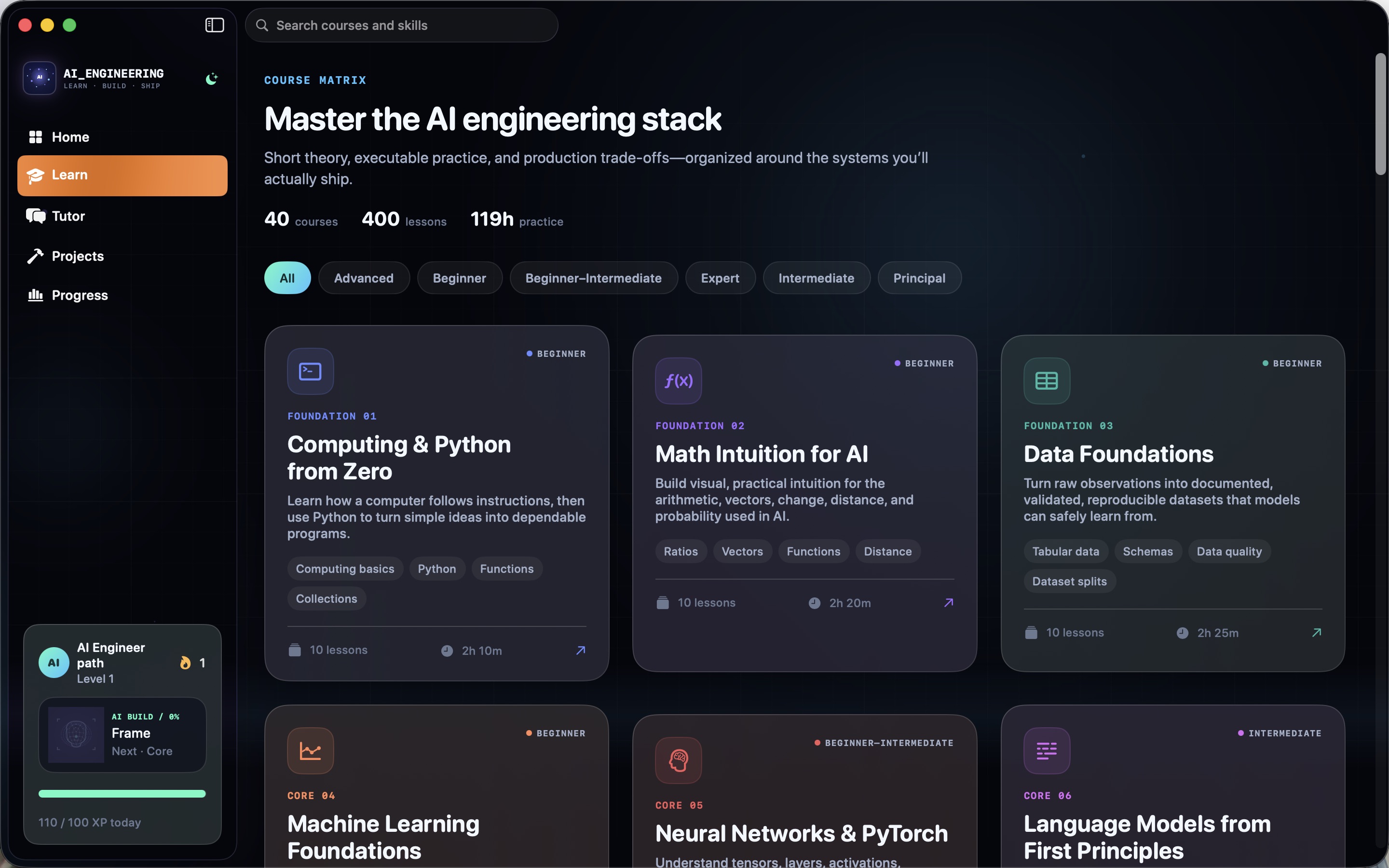
40-course catalog
Search and filter the full catalog, open detailed course maps, and track module and lesson completion as you go.
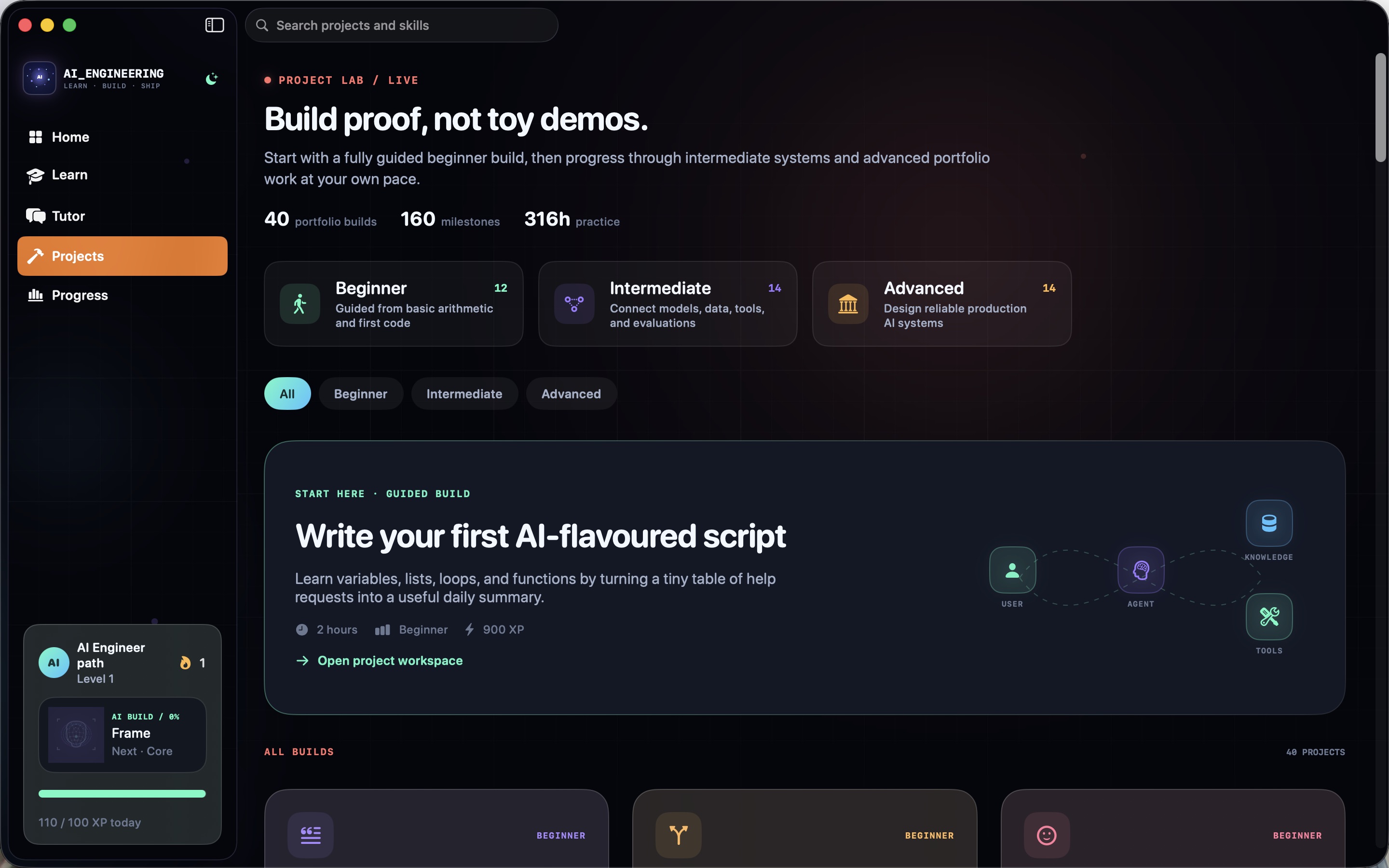
Project Lab: 40 portfolio builds
12 beginner, 14 intermediate, and 14 advanced briefs (from a first Python script and a safe chatbot to RAG, agents, GPU systems, and principal architecture), each with milestones and editable starter files.
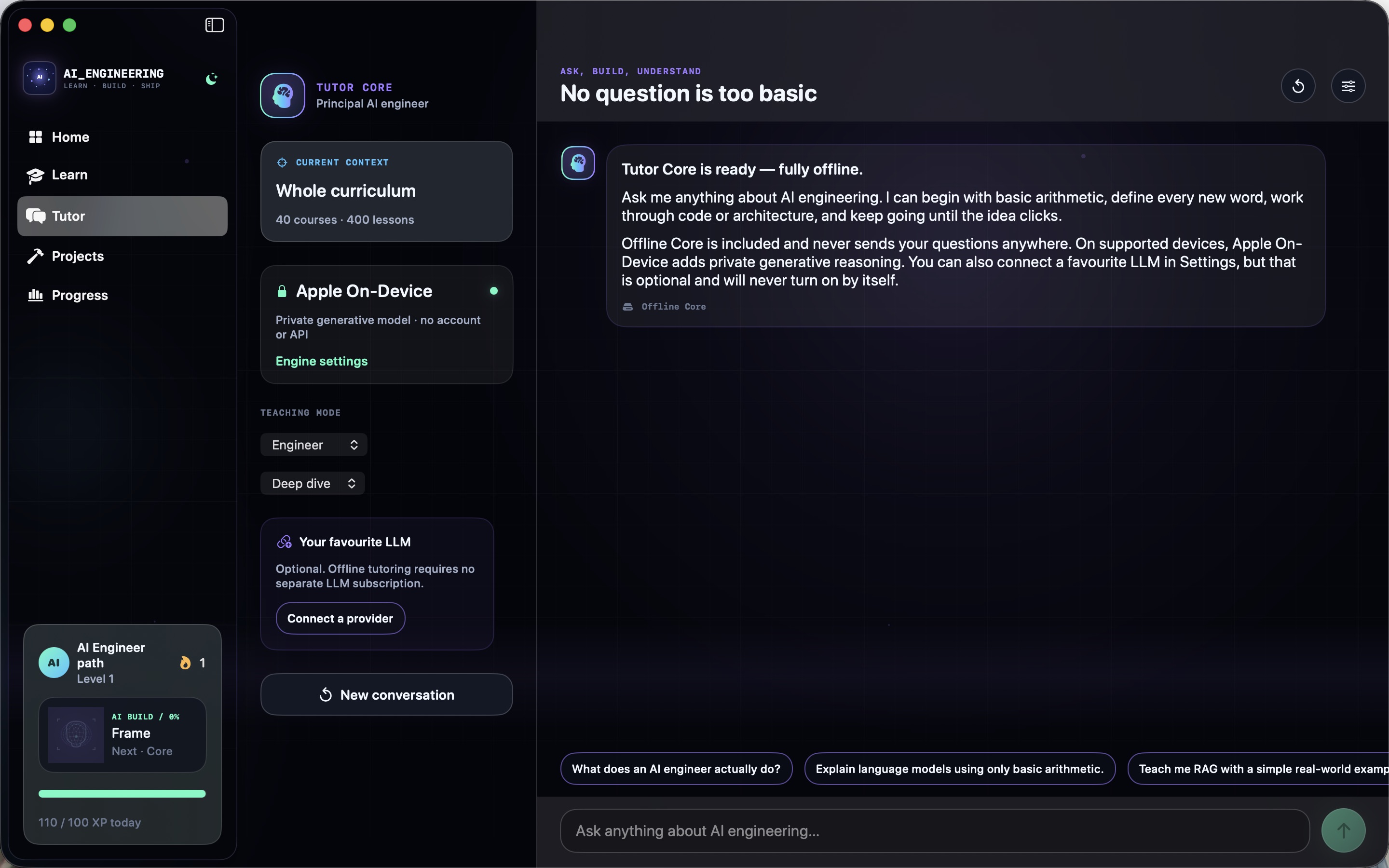
Tutor Core: private AI tutoring
A curriculum-grounded tutor with an always-available offline engine and lesson and project context, in novice or engineer teaching mode. No account, no key, no cloud required.
Watch your AI assemble itself
A live AI assembly visualization turns verified lessons, completed courses, and project milestones into a progressively constructed neural system on your home screen.
How to use AI Engineering
A learning loop that starts from zero.
The beginner path assumes only basic arithmetic and no prior coding. The fastest way through is short, active daily sessions: one lesson, one challenge, one honest attempt before hints.
Follow the featured path
The home terminal always shows your featured path, daily target, and next lesson. Start with Computing & Python from Zero and let the path carry you forward in order.
Do the challenge first
Each lesson ends in a code lab, quiz, architecture decision, or guided exercise with local validation. Attempt it before taking a hint: the hints are progressive, so one nudge rarely spoils the answer.
Ask the tutor in context
Tutor Core already knows which lesson or project you are on. Ask "explain this like I'm new" for novice mode or request a deep-dive when you want the production-engineering detail.
Build the portfolio
After a few courses, open the Project Lab and work briefs in order. Each has outcomes, four scoped milestones, editable starter files, and simulated local quality checks.
Keep the streak alive
XP, daily goals, streaks, and bookmarks persist locally on your Mac. A short session that keeps the streak beats an occasional marathon.
Check role readiness
The progress profile shows a skill matrix, levels, and role readiness so you can see which capabilities are strong and where to point the next study block.
Private by design
Your tutor and your progress live on your Mac.
Tutor Core never requires an API key, account, or separate service. It selects the best private engine available (the bundled offline engine, or Apple's on-device generation on supported hardware) and never silently chooses a network provider.
- Offline tutor engine grounded in the 400-lesson curriculum
- On-device generation on supported Apple hardware
- Optional bring-your-own provider: OpenAI, Anthropic, Gemini, and more, with your key
- Local model servers: Ollama and LM Studio detected on this Mac only
- Keychain-stored credentials bound to the configured endpoint
- Local progress: XP, streaks, bookmarks, and milestones stay on device
- Works on
- macOS 14+ (Apple Silicon and Intel)
- Curriculum
- 40 courses, 80 modules, 400 interactive lessons
- Practice
- 140 code labs, 100 quizzes, 80 architecture decisions, 80 exercises
- Projects
- 40 portfolio builds with milestones and starter files
- Privacy
- Tutor and progress run locally; no account needed
Support the project
Support the project and download AI Engineering.
AI Engineering packs a complete, production-oriented AI curriculum, a portfolio Project Lab, a private offline tutor, and a progress system into one native Mac app. Donate what you like to support the project and download it straight away. Each download link works once.
AI EngineeringNative MacLearn · Tutor · Projects · Progress, all in one app.
Get the software
Support the project and download a build.
Donate what you like, pick your product and your computer type, and download it right after checkout. Each download link works once and expires after a while.