
 Broadcutcut · deliver · go live
Cut your film. Then go live. One native app.
Broadcut puts a professional timeline editor and a live production desk in the same app, sharing one project. Frame-exact editing built on rational timeline math, background rendering that never blocks your cutting, and a scene-based broadcaster with real preflight checks.
An editor and a broadcaster that share one engine.
The same Metal compositor draws the timeline viewer, the program feed and the export — what you preview is what you deliver. Timeline math is rational, so edits are frame-exact and never drift.
The Edit Room
Professional editing tools that respect the frame.
Insert and overwrite modes, linked A/V selection, and true roll edits with media-handle validation.
Multitrack editing
Video and audio tracks with insert/overwrite, linked selection, blade, ripple delete and ripple trim.
Roll edits done right
True adjacent-clip rolls with speed-aware source mapping, handle validation and accessible ±1/±10-frame controls.
Frame-exact transitions
Cross dissolves where playback and export share the same compositor — the preview is the truth.
A real clip inspector
Renderer-backed opacity, scale, position and rotation, plus per-clip audio gain, pan and mute.
Markers and captions
Named, colored, categorized markers and a dedicated caption track, all undoable and autosaved.
The Transmit Queue
Exports render in the background from immutable project snapshots — keep cutting while jobs finish, cancel or retry any time.
Inside the app
Edit Room and Live Desk, side by side.
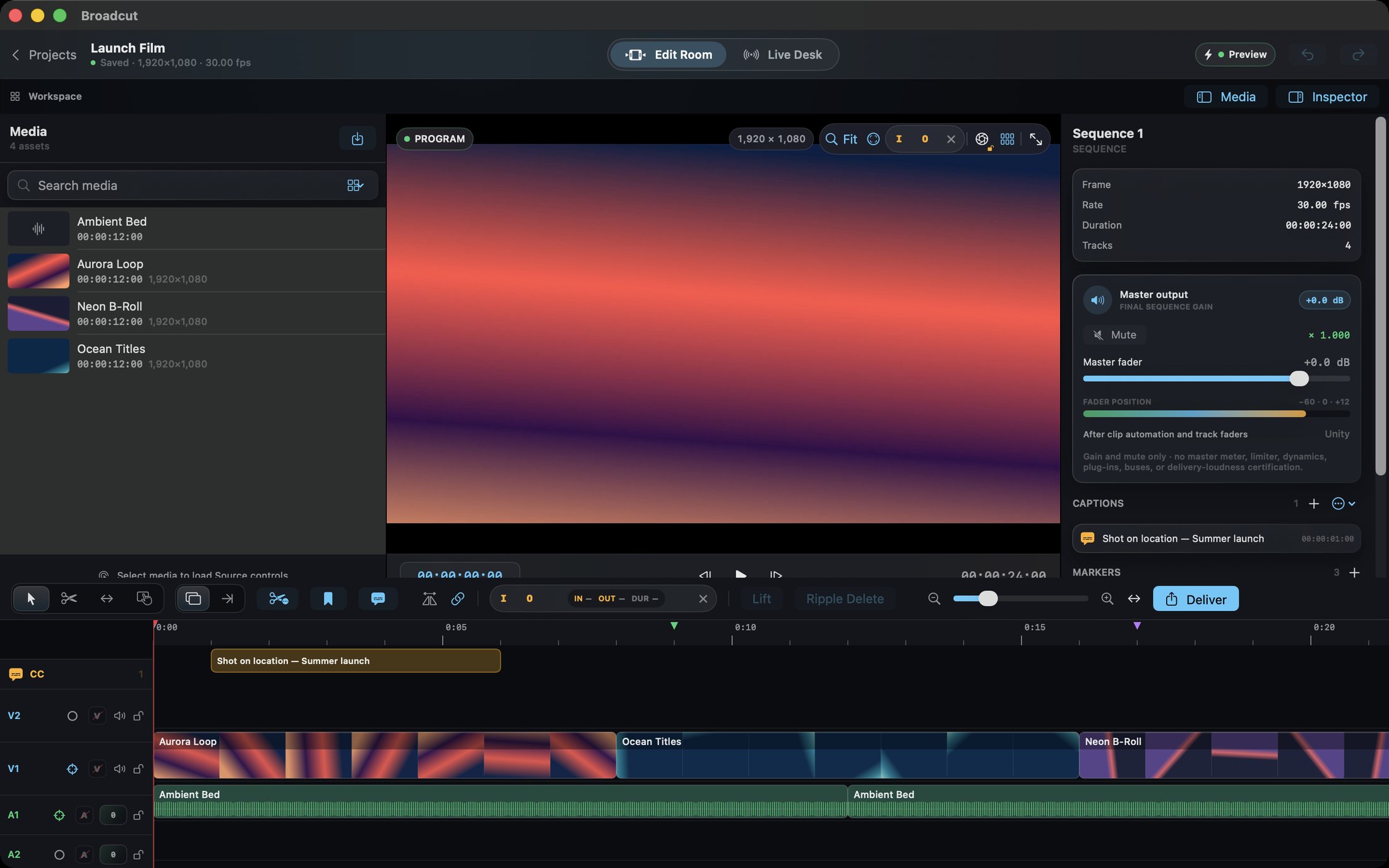
The actual app: a populated timeline with markers and captions, a roll edit in the inspector, and the broadcast desk with its preflight checklist.
The Edit Room
Media bin, program viewer, inspector and a multitrack timeline with clips, captions and colored markers.
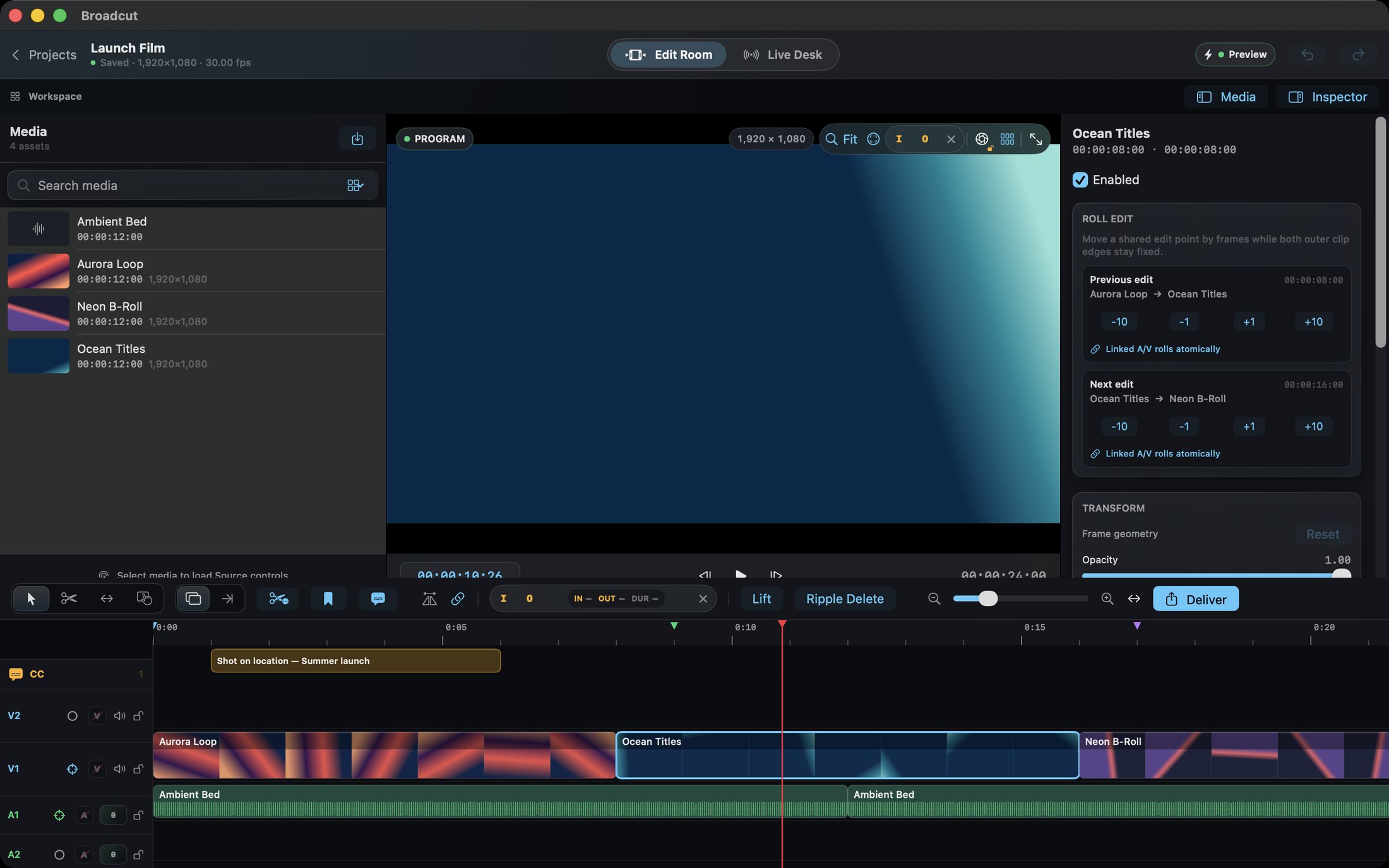
Roll edits in the inspector
Adjacent-edit controls with per-frame nudges and linked A/V rolls that stay atomic.
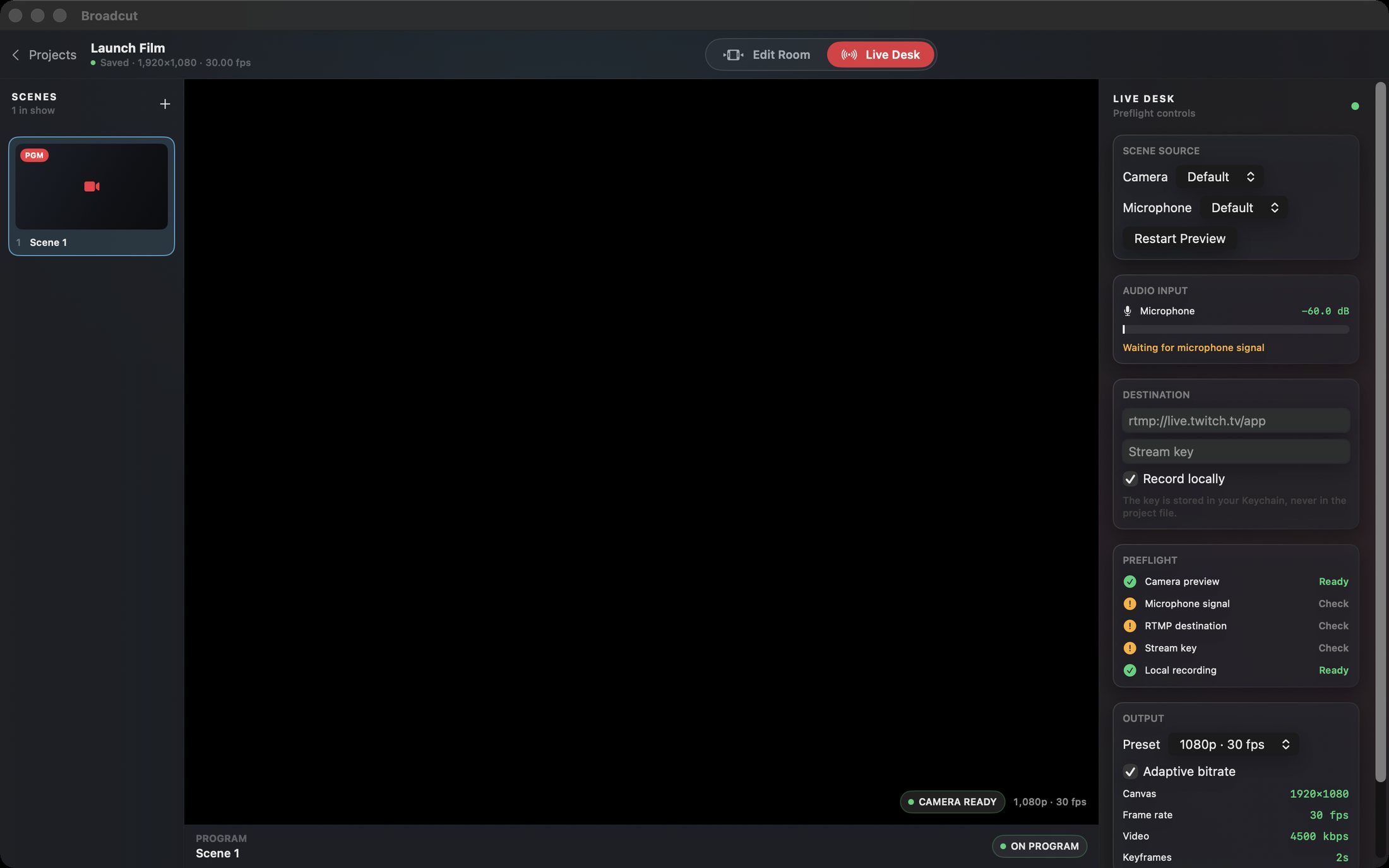
The Live Desk
Scenes with program tally, camera and mic sources, a real level meter, stream destination, and an actionable preflight checklist.
How to use Broadcut
From first import to first broadcast.
One project carries you from cutting to streaming.
Create a project
Pick a format — 1080p30 by default — and import video and audio into the media bin.
Build the timeline
Place clips, trim and roll edits, add captions and markers, shape the mix.
Grade the frame
Use the inspector's transform and opacity controls; everything is renderer-backed and journaled.
Queue the delivery
Send the sequence to the Transmit Queue and keep editing while it renders in the background.
Walk into the Live Desk
Add your camera and microphone as scene sources, watch the level meter come alive.
Pass preflight, go live
Enter your ingest URL and stream key (stored in the Keychain), pass the checklist, and broadcast — with local recording if you want it.
Private by design
Your footage stays yours.
Projects and media live on your Mac. The only network use is the live stream you explicitly start, sent to the ingest server you configure.
- Rational timeline math — frame-exact, drift-free editing
- Immutable render snapshots so continued editing can't corrupt a delivery
- Live-safe camera switching that keeps the broadcast running during input changes
- Keychain-stored stream keys never written into the project file
- Debounced autosave with honest saved/unsaved status
- No account, no cloud and no tracking of any kind
- Works on
- macOS 14+ (Apple Silicon recommended)
- Editing
- Multitrack, insert/overwrite, roll, ripple, markers, captions
- Delivery
- Background Transmit Queue, H.264 MP4
- Live
- RTMP/RTMPS, 720p30–4K30 presets, local recording
- Privacy
- No account; media never leaves your Mac
Support the project
Support the project and download Broadcut.
Streamers edit in one app and broadcast in another — Broadcut is both, sharing one project and one render engine. Donate what you like to support the project and download the full app straight away. The download is the complete, fully activated app — every feature included. Each download link works once.
BroadcutNative MacCut. Deliver. Go live.
Get the software
Support the project and download a build.
Donate what you like, pick your product and your computer type, and download it right after checkout. You always receive the complete, fully activated app. Each download link works once and expires after a while.