
 Lecternevery word, kept
Every word, kept — transcribed privately on your Mac.
Lectern records meetings, lectures, interviews and memos with a live on-screen transcript, transcribes on-device with Whisper or Apple Speech, turns raw speech into clean notes with summaries and action items, and keeps everything in a full-text searchable archive.
From raw speech to real notes, offline.
The notes pipeline is deterministic and runs entirely on your Mac: filler and stutters removed, punctuation repaired, paragraphs restored, plus a TL;DR, summary bullets, keyword tags, and action items with owners and due dates in English and German.
What it does
A recorder that never loses a word.
Robust capture, accurate on-device transcription, and an archive you can actually search.
Record with confidence
Live scrolling transcript, level meter and word count — you always know capture is working.
Two on-device engines
Whisper on the Neural Engine for best accuracy, or Apple Speech for instant zero-download starts. Switch any time.
Survives real life
AirPods disconnecting, calls, interruptions — Lectern re-taps the new microphone and keeps writing the same file. Even a force-quit is recoverable.
Notes, not just transcripts
Cleanup, punctuation repair, paragraphs, TL;DR, summary bullets, keyword tags, and action items with owners and due dates (EN/DE).
Full-text searchable archive
Search across transcripts, titles, notes and action items; jump to the matching segment and play the audio from that exact moment.
Import and export
Transcribe existing audio or video files; export Markdown, PDF, plain text, SRT, VTT or HTML.
Inside the app
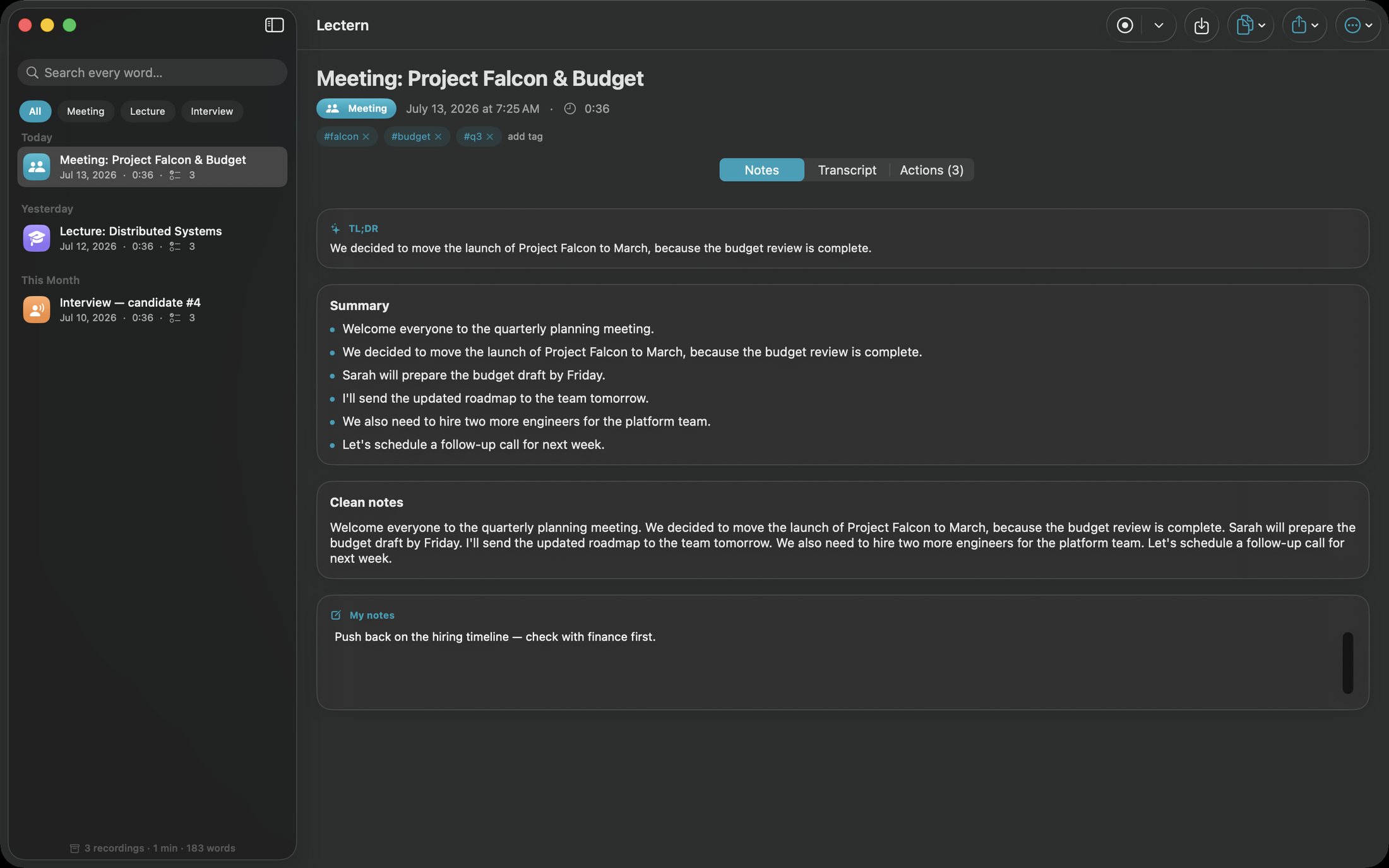
The actual app, from list to notes.
Sessions with search on the left; notes, transcript and action items tabs on the right.
Clean notes per session
TL;DR, summary, cleaned paragraphs and your own notes — generated deterministically, entirely offline.
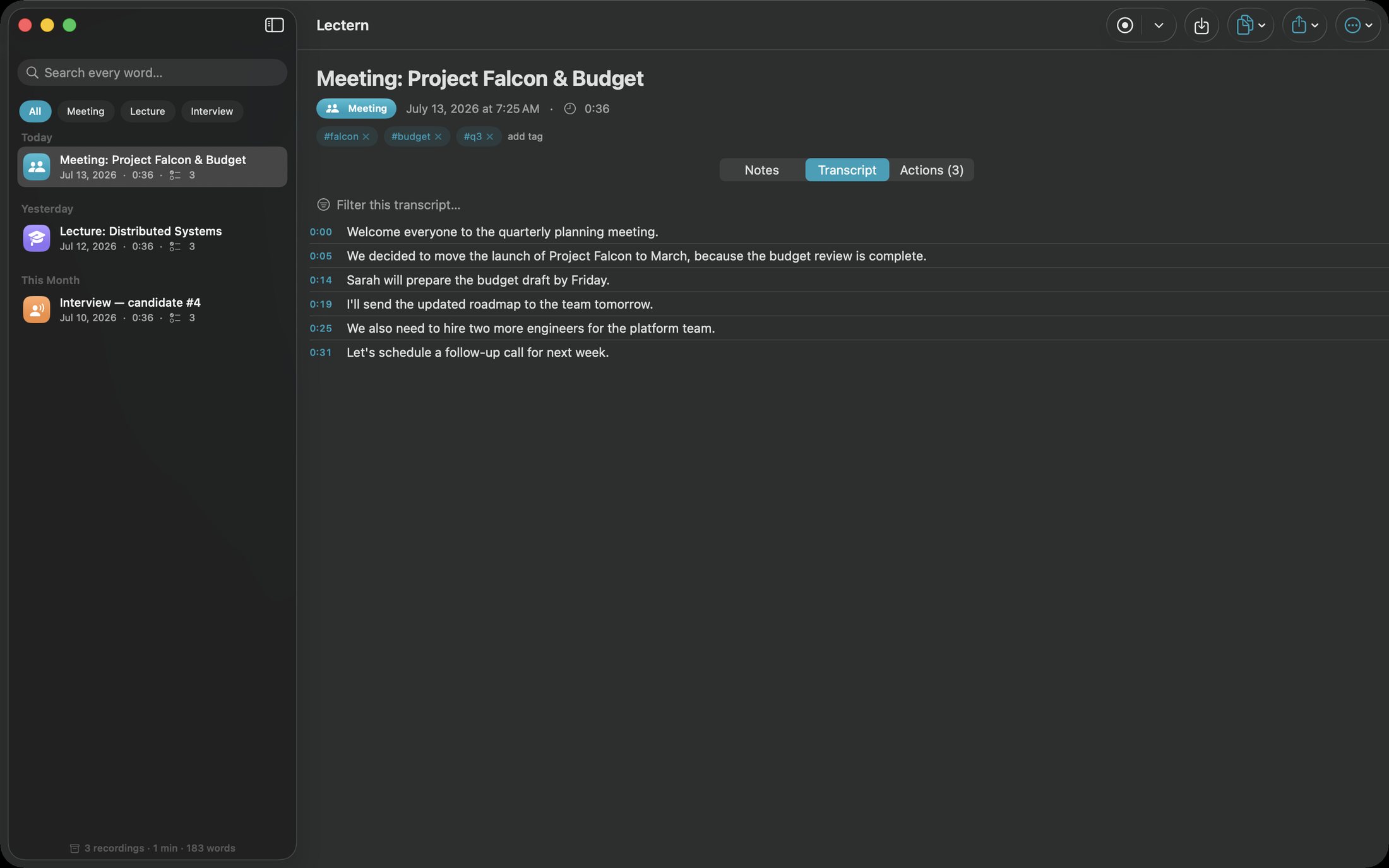
A transcript you can trust
Timestamped segments with exact recording-clock times; click to hear the moment back.
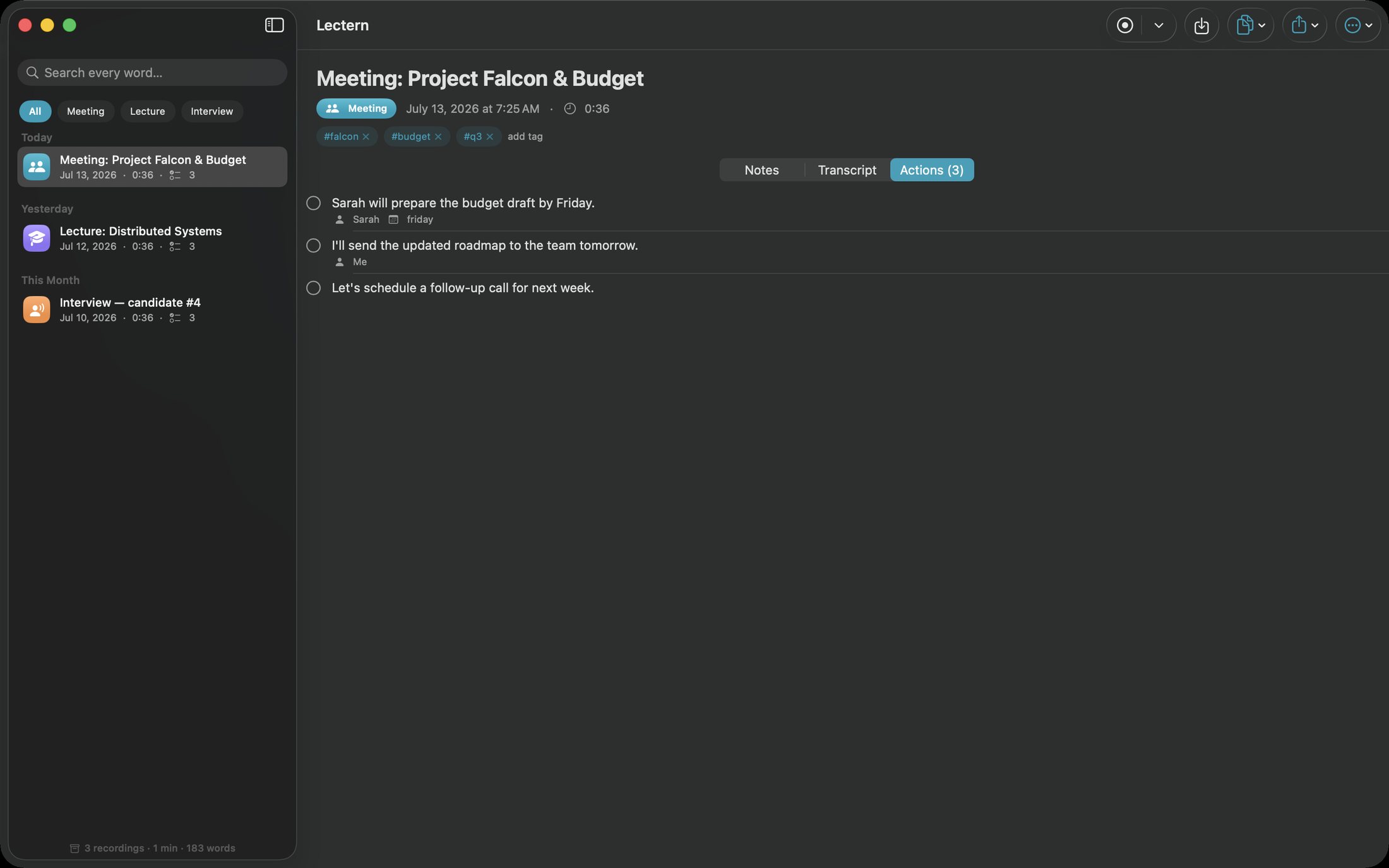
Action items, extracted
Owners and due dates detected automatically, ready to check off.
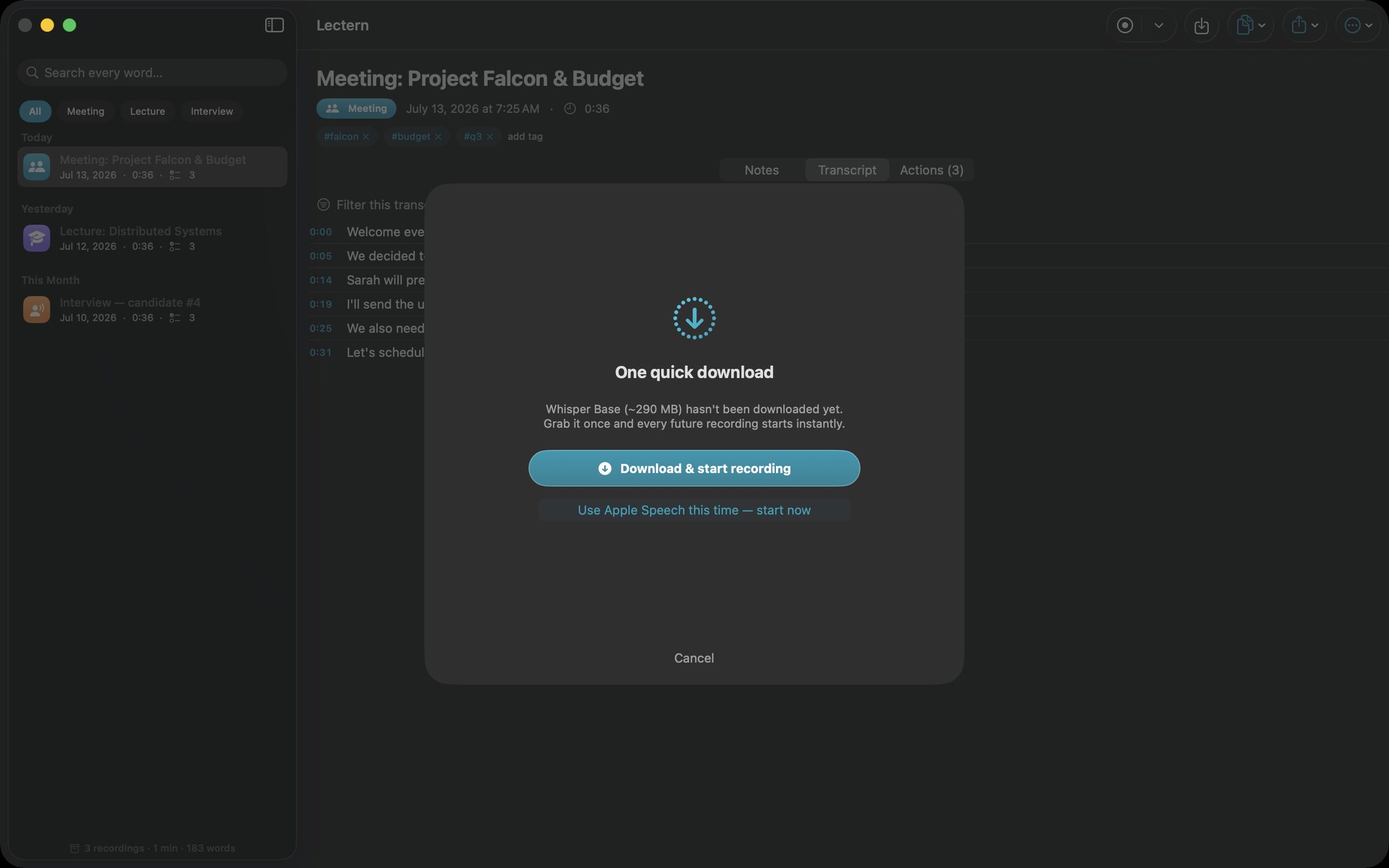
Your choice of engine
Grab a Whisper model once for best accuracy, or start instantly with Apple Speech.
How to use Lectern
Record once, find it forever.
Lectern is built for the moment three weeks later when you need the exact sentence.
Start a recording
Meeting, lecture, interview or memo — the live transcript starts scrolling immediately.
Speak naturally
Interruptions and device changes are handled; the recording keeps going.
Get notes instantly
The offline pipeline produces the TL;DR, summary, tags and action items when you stop.
Search everything
One search box across every word you've ever recorded, with snippet highlighting.
Jump to the moment
Open a result and play the audio from that exact segment.
Export where you work
Markdown, PDF, plain text, SRT, VTT or HTML — whatever your workflow needs.
Private by design
Audio and transcripts never leave your device.
Recording, transcription, note generation and search all run locally. The only network use is the one-time, optional Whisper model download.
- Whisper on the Neural Engine with tiny, base and small models
- Apple Speech fallback forced on-device, zero download
- Crash recovery that transcribes and archives interrupted recordings
- Full-text search across transcripts, notes and action items
- Deterministic notes pipeline — same audio, same notes
- No account, no cloud and no tracking of any kind
- Works on
- macOS 14+ (Apple Silicon and Intel)
- Engines
- Whisper (CoreML) and Apple Speech, both on-device
- Notes
- TL;DR, summary, tags, action items (EN/DE)
- Exports
- Markdown, PDF, TXT, SRT, VTT, HTML
- Privacy
- Audio never leaves the device
Support the project
Support the project and download Lectern.
Lectern is the meeting recorder for people who can't upload their meetings: private, accurate, and searchable forever. Donate what you like to support the project and download the full app straight away. The download is the complete, fully activated app — every feature included. Each download link works once.
LecternNative MacEvery word, kept.
Get the software
Support the project and download a build.
Donate what you like, pick your product and your computer type, and download it right after checkout. You always receive the complete, fully activated app. Each download link works once and expires after a while.