
 Siftphoto library, decluttered
Your photo library, decluttered — privately, on your Mac.
Sift scans your photo library on-device, finds duplicates with perceptual fingerprints, catches blurry shots with a real sharpness measurement, rounds up old screenshots, and proposes one calm monthly sweep. Everything it removes stays recoverable for about 30 days.
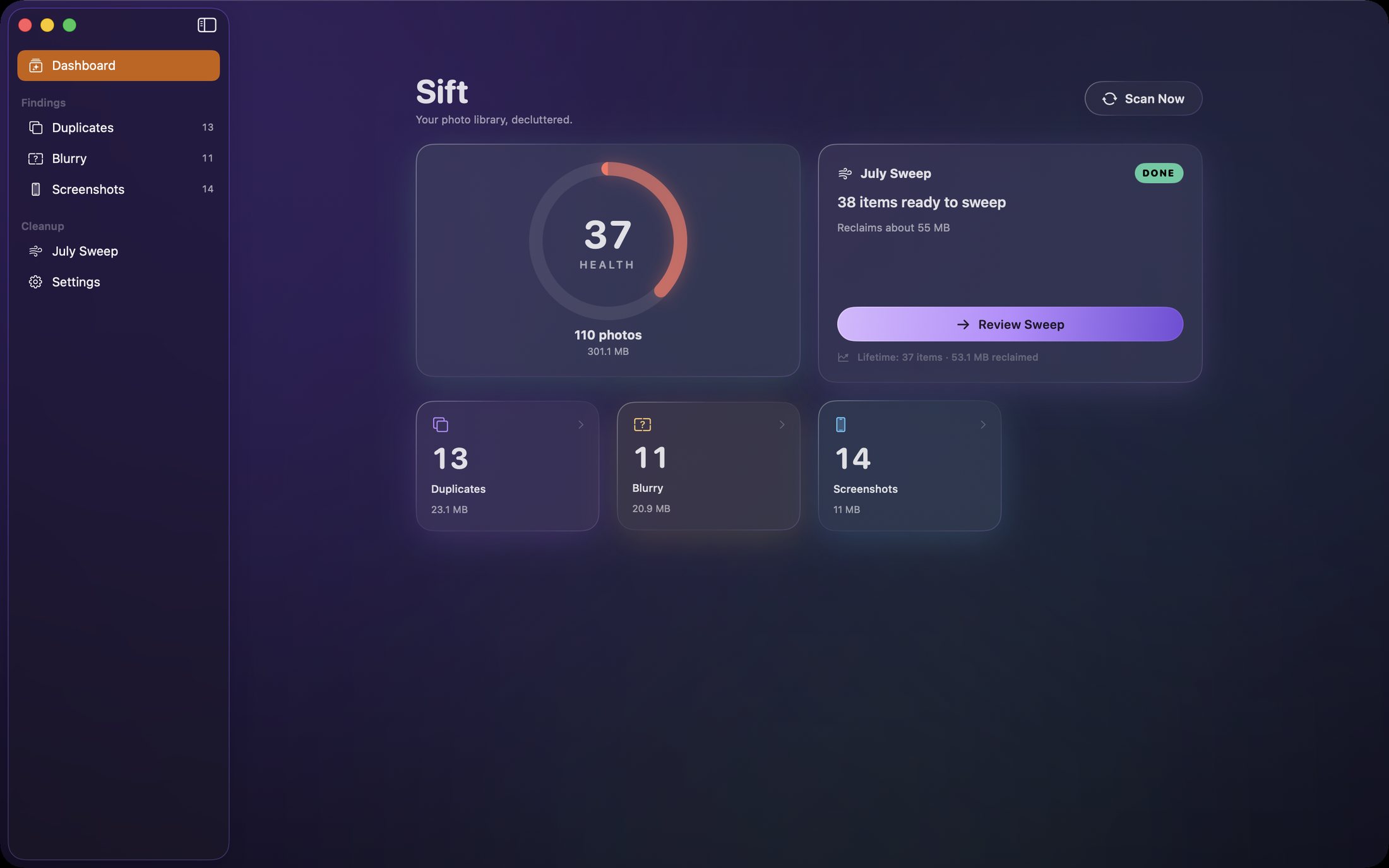
One health score for your whole library.
Sift compares actual image content — not just file names or dates. Bursts, re-saves, edited copies and messenger re-downloads are grouped together, and the best shot in each group is kept automatically.
What it finds
Duplicates, blur and screenshot clutter — found properly.
Deterministic, on-device analysis with you in control of every deletion.
Duplicates, grouped correctly
Perceptual hashing groups exact and near-duplicates: bursts, edits, re-saves and re-downloads, with the best shot marked KEEP automatically.
Blurry shots, caught
A real sharpness measurement finds missed focus without flagging your deliberate portraits with soft backgrounds. Sensitivity is adjustable.
Screenshots, aged out
Screenshots are sorted by age so last year's boarding passes are easy to sweep while recent ones stay put.
One monthly sweep
Instead of nagging you daily, Sift proposes a single monthly cleanup: review the plan, untick keepers, clean the rest in one action.
Everything recoverable
Removals go to the system Recently Deleted album and stay recoverable for about 30 days. Sift never deletes permanently.
Continuous rescans
The library is watched for changes, and fingerprints are cached so rescans are fast.
Inside the app
A calm dashboard, not a nag machine.
The actual app: health score and findings, duplicate groups with keep choices, blur review, and the monthly sweep plan.
The dashboard
One health score, your photo count, and how much space each kind of clutter is holding.
Duplicate groups
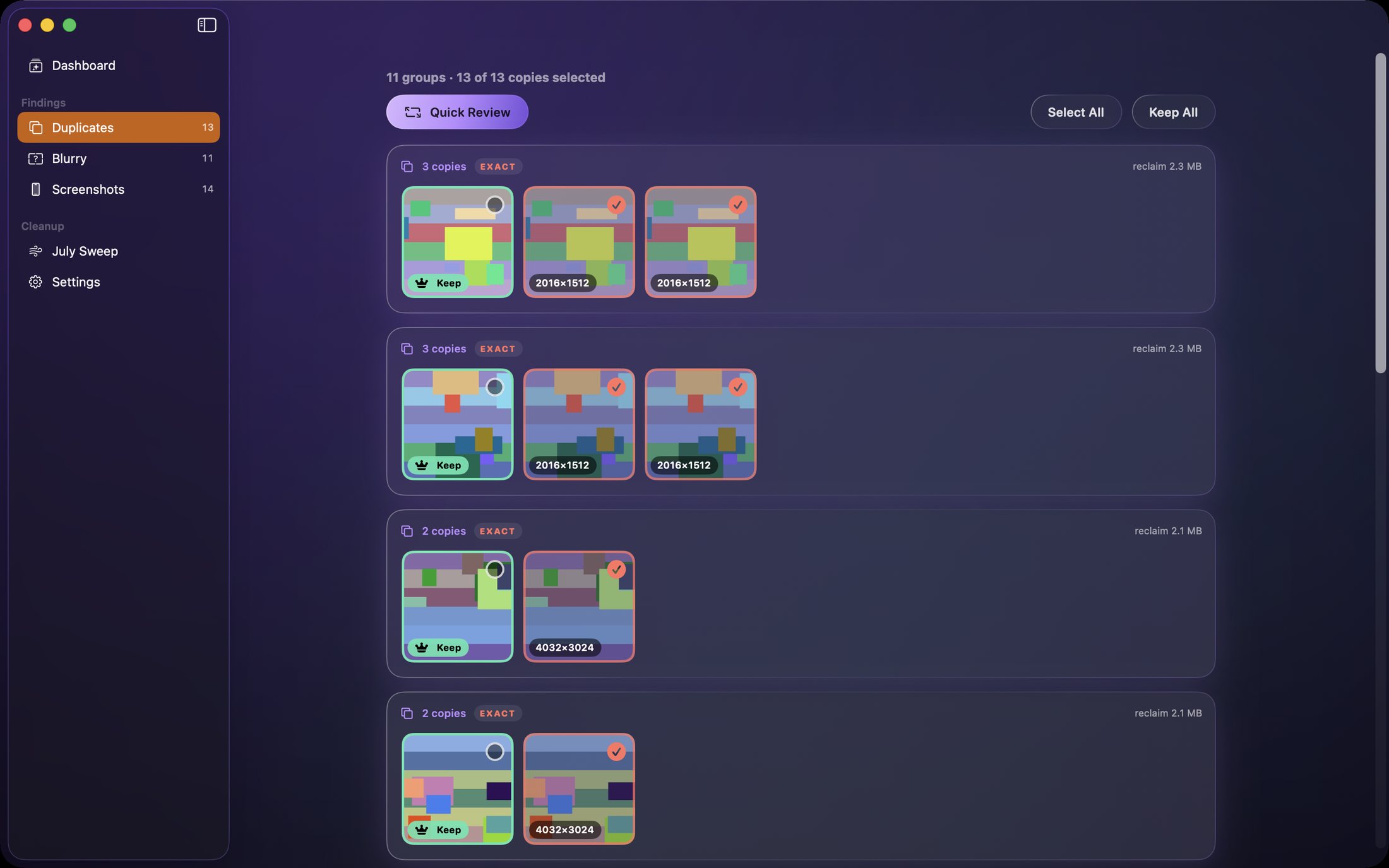
Each group shows every copy with resolution badges; the best shot is kept automatically and one click overrides it.
Blur review
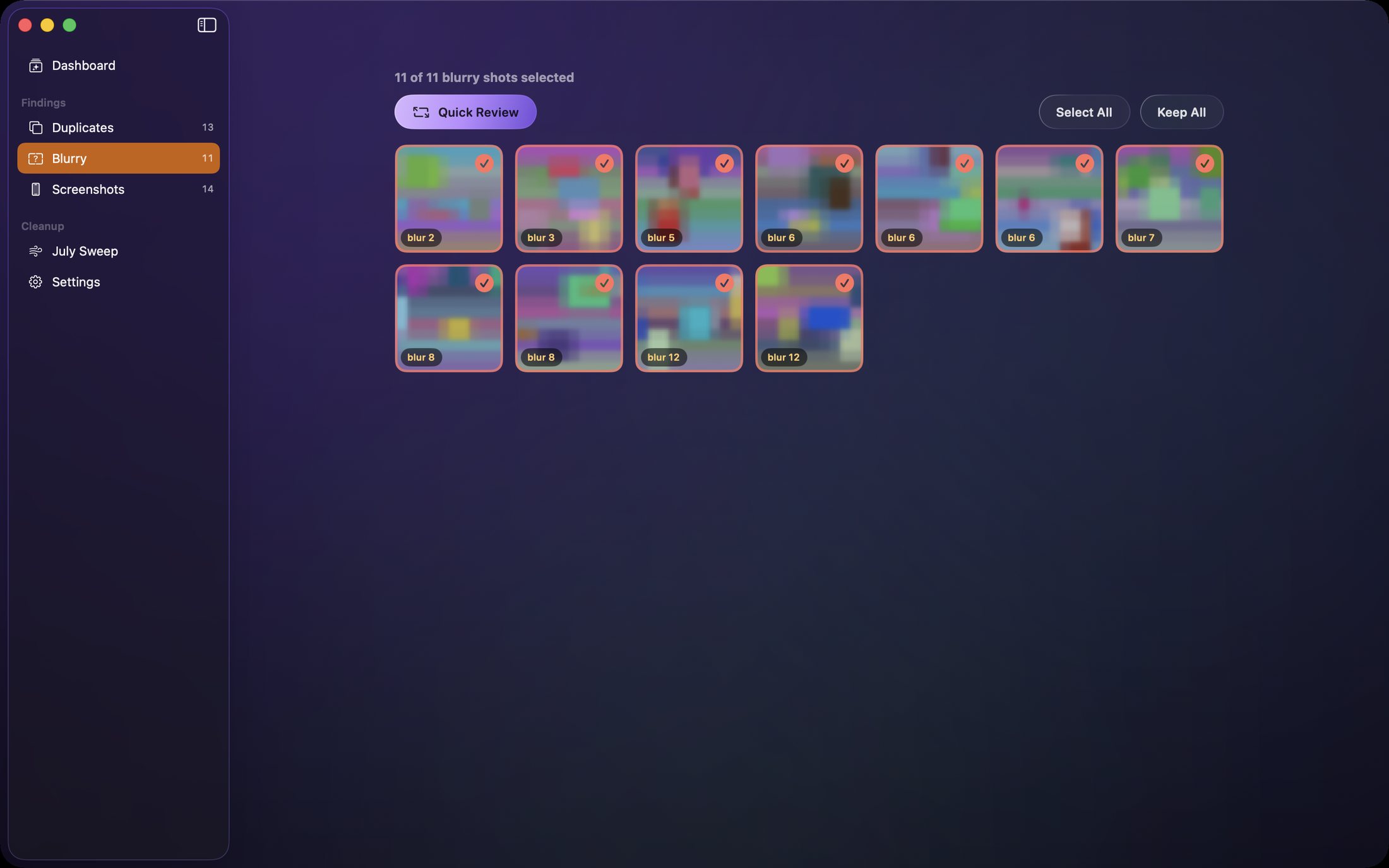
Missed-focus shots in a grid, each with its blur score, all selected for review — keep anything with one click.
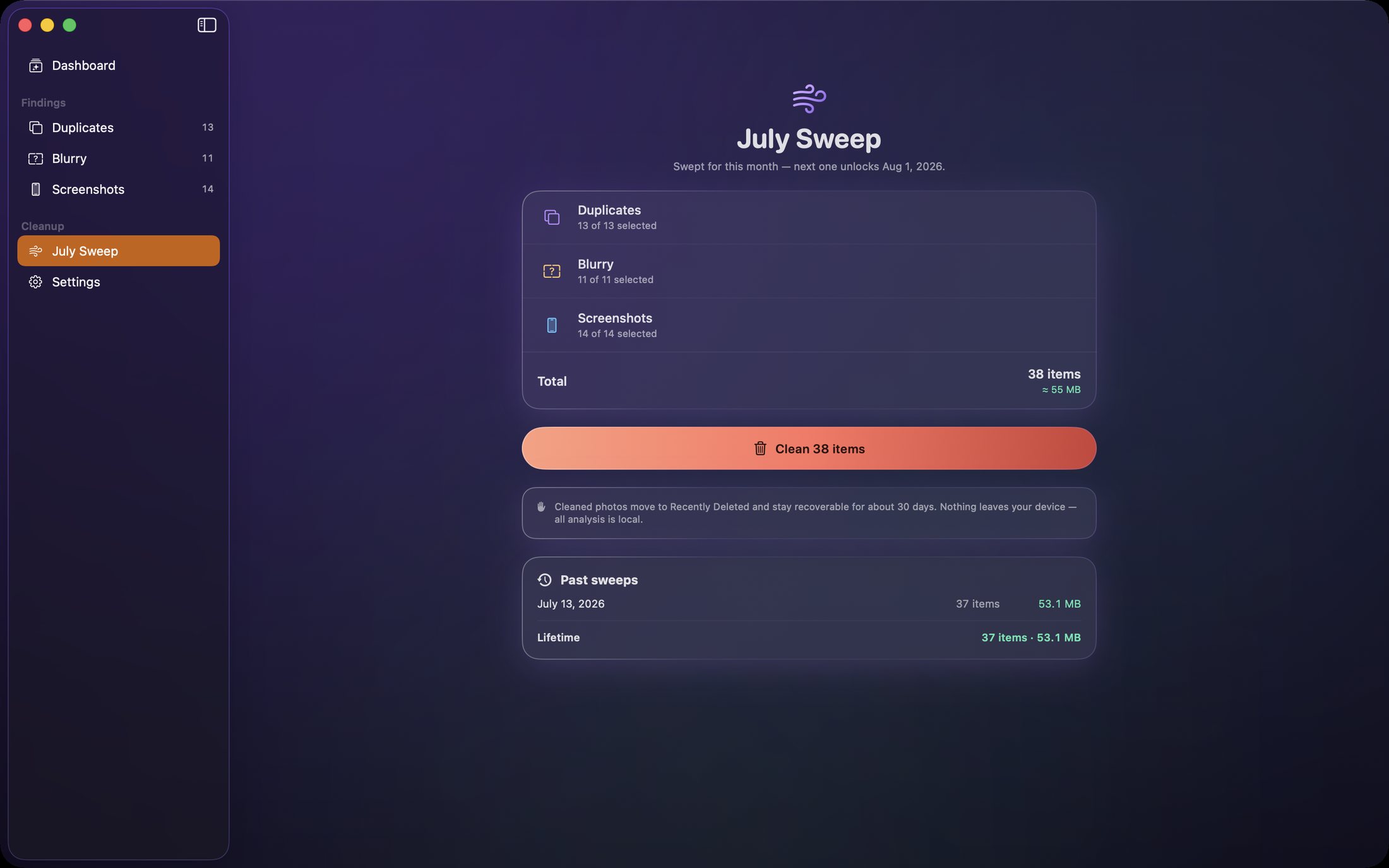
The monthly sweep
A single reviewable plan across duplicates, blur and screenshots, with lifetime reclaim stats.
How to use Sift
Review first, clean once.
Sift is built around consent: nothing is removed until you approve the plan.
Scan on-device
Sift fingerprints your library locally. Nothing is uploaded, ever.
Check the dashboard
See the health score and where clutter hides: duplicates, blurry shots, screenshots.
Review each finding
Open any category and override the automatic keep choices wherever you disagree.
Run the sweep
Approve the monthly plan and Sift moves the clutter to Recently Deleted in one action.
Recover freely
Changed your mind? Anything swept stays recoverable in Photos for about 30 days.
Let it watch
Sift keeps fingerprints cached and rescans automatically as the library changes.
Private by design
Your photos never leave your Mac.
All scanning and analysis happens on-device. No account, no uploads, no analytics.
- Perceptual duplicate detection that compares image content, not file names
- Laplacian sharpness analysis tuned to avoid flagging intentional bokeh
- System-native deletion via the standard Photos confirmation dialog
- Recoverable by design — everything lands in Recently Deleted first
- Fingerprint cache for fast rescans of large libraries
- No account, no cloud and no tracking of any kind
- Works on
- macOS 14+ (Apple Silicon and Intel)
- Detects
- Exact & near duplicates, blurry shots, old screenshots
- Cleanup
- One reviewable monthly sweep
- Safety
- Recently Deleted, recoverable ~30 days
- Privacy
- Fully on-device; no account, no uploads
Support the project
Support the project and download Sift.
Sift gives you back storage without gambling your memories: content-aware detection, a reviewable plan, and a 30-day safety net. Donate what you like to support the project and download the full app straight away. The download is the complete, fully activated app — every feature included. Each download link works once.
SiftNative MacFind the clutter. Keep the memories.
Get the software
Support the project and download a build.
Donate what you like, pick your product and your computer type, and download it right after checkout. You always receive the complete, fully activated app. Each download link works once and expires after a while.