
 VideoNotesvideo → illustrated notes
Turn lecture videos into hand-drawn study notes, on your own Mac.
VideoNotes watches a recorded lecture for you: it transcribes the speech, reads the slides with on-device OCR, keeps the frames that matter, and renders everything as beautiful hand-drawn sketchnote pages with exact source timestamps — without the video ever leaving your Mac.
From raw recording to a finished study set.
Import a lecture, tutorial or talk. VideoNotes samples the timeline, keeps the informative moments, extracts the speech and on-screen text, structures it into sections, and draws the result in a warm, paper-like style with real hand-lettering fonts.
What it does
Evidence in, finished notes out.
VideoNotes treats extracted material as evidence, not decoration: every card links back to the exact frame or transcript moment it came from.
Import any lecture
MP4, MOV, M4V, MPEG and plain audio like MP3, M4A, WAV or FLAC. Pick a file and VideoNotes handles the rest locally.
On-device transcription and OCR
Speech is transcribed on your Mac and slide, board and screen text is read with Vision OCR. Nothing is uploaded anywhere.
Smart frame selection
A deterministic scanner keeps representative visual moments, rejects talking heads as illustrations, and de-duplicates repeats.
Hand-drawn sketchnote pages
Headings, arrows, frames and diagrams rendered in a rough-pen, paper-like style with genuine hand-lettering fonts and four palettes.
Evidence Inspector
Search and filter every extracted claim, preview the source at the cited timestamp, correct anything, and regenerate deterministically.
14 note formats
The same typed note model can be presented as Illustrated pages, Cornell Notes, an outline, Q&A flashcards, exam revision, a timeline and more.
Inside the app
A real studio for visual study notes.
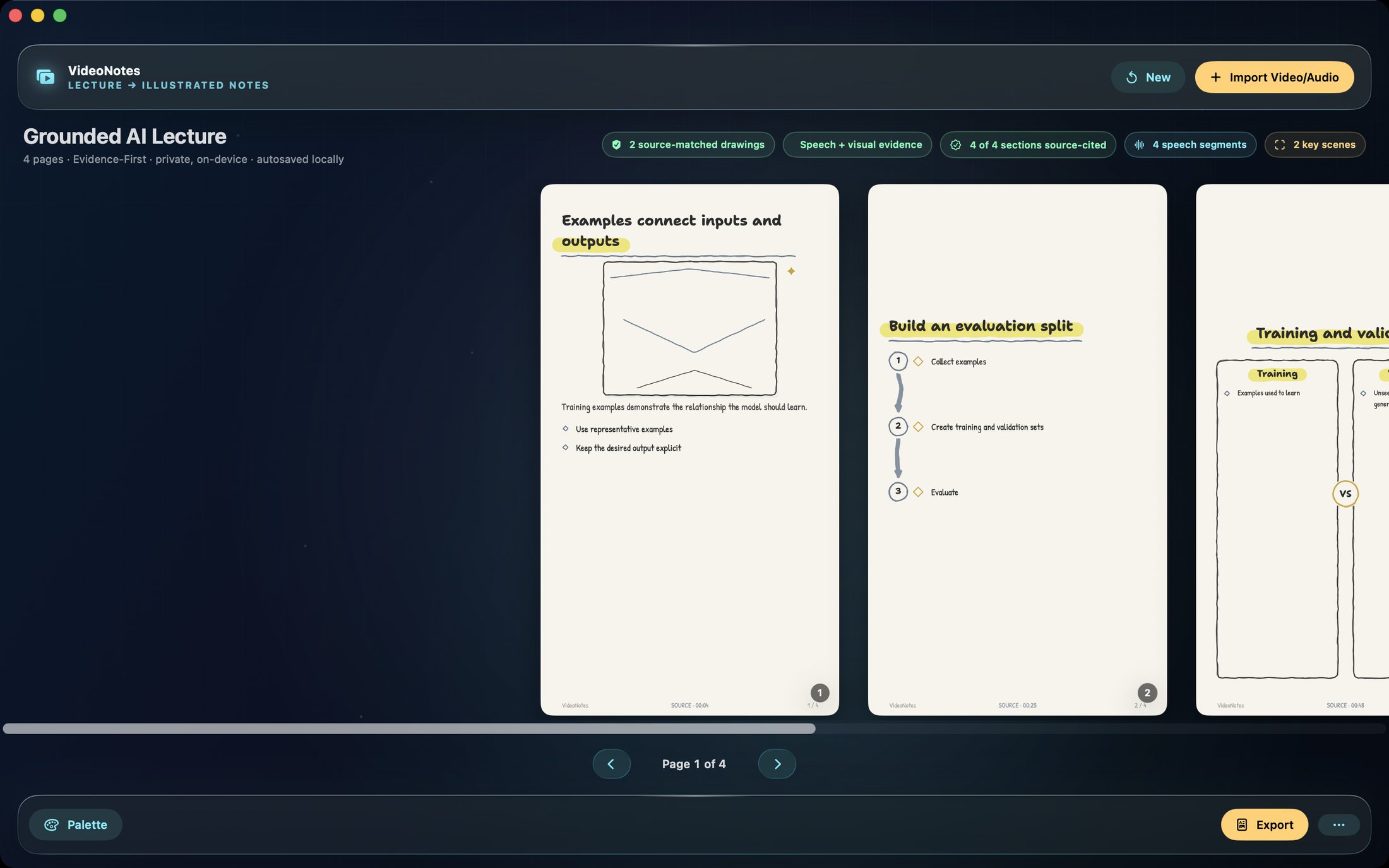
These are the actual app surfaces: the sketchnote study set with its evidence badges, and the page browser with palette and export controls.
A complete illustrated study set
Every page is generated from your video's own content, with per-section citation coverage and review labels for anything synthesized.
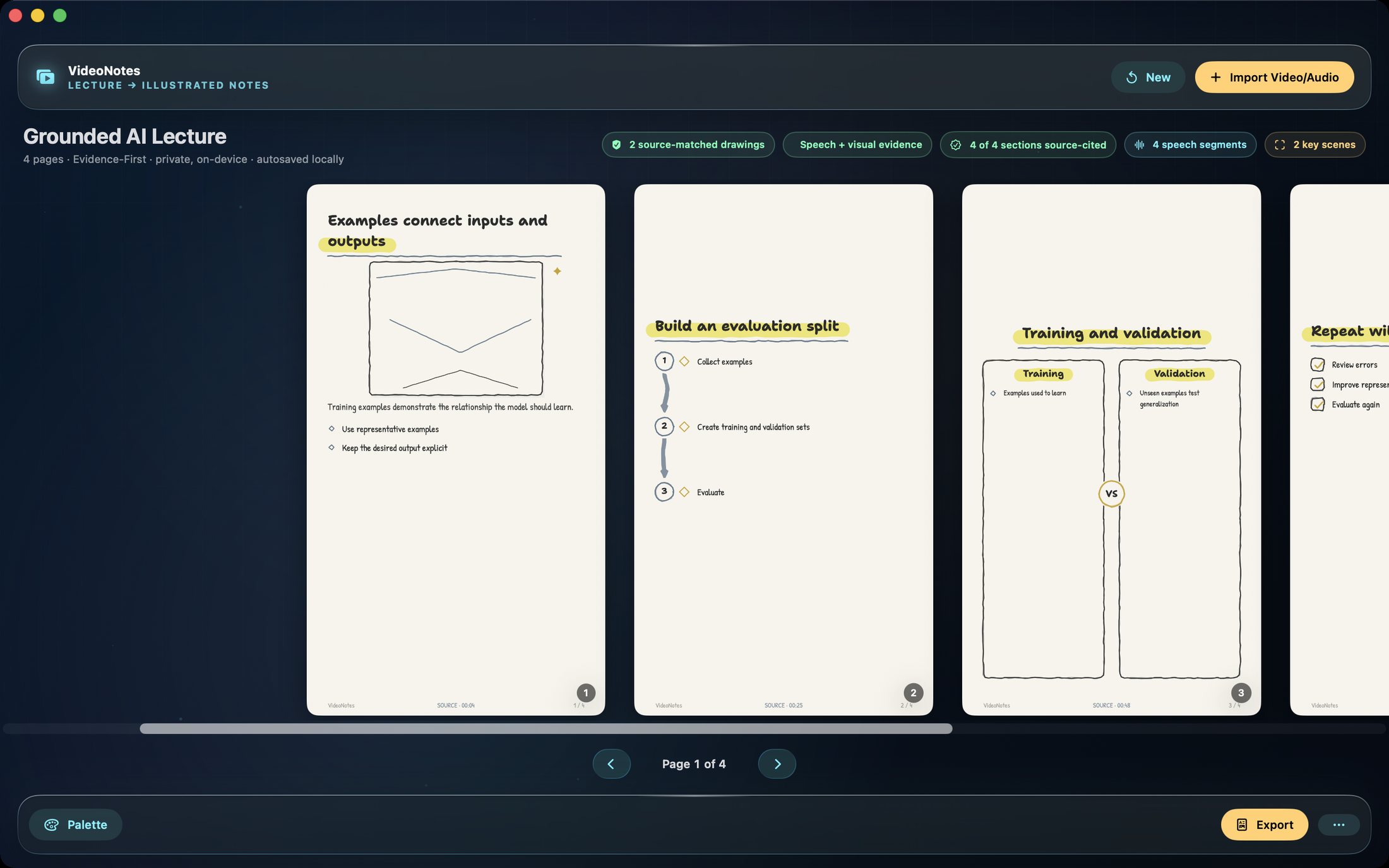
Browse, restyle and export
Flip through pages, switch palettes and hand-drawn styles, then export the whole set in one action.
How to use VideoNotes
From video file to study set in one sitting.
No account, no setup, no cloud. The whole pipeline runs on your Mac.
Import the recording
Drop in a lecture video or audio file. VideoNotes probes it locally and starts the on-device pipeline.
Let the scanner work
Transcription, OCR, frame selection and structuring run automatically with a live stage indicator — cancel any time.
Review the evidence
Open the Evidence Inspector to see every extracted claim with its source timestamp. Fix anything; regeneration is deterministic.
Pick a format
Choose Illustrated, Cornell, outline, flashcards, exam revision or any of the 14 formats — nothing is dropped in translation.
Style the pages
Switch palettes and hand-drawn styles until the set looks like your own notebook.
Study and export
Use the built-in spaced-repetition study mode with scrub-to-source, or export to PDF, PNG, Markdown, HTML, DOCX, PPTX, EPUB, JSON or Anki.
Private by design
Your lectures never leave your Mac.
Transcription, OCR, structuring and rendering all run locally. There is no account, no upload and no analytics — the app works entirely offline.
- On-device speech transcription for the narration
- Vision OCR for slides, boards and screen text
- Deterministic pipeline — the same input always produces the same notes
- Source-cited pages with exact frame and transcript timestamps
- Searchable, tagged PDF export with a pixel-identical text layer
- Private project recovery that restores notes without duplicating your media
- Works on
- macOS 14+ (Apple Silicon and Intel)
- Inputs
- MP4, MOV, M4V, MPEG, MP3, M4A, WAV, AIFF, AAC, FLAC, CAF
- Note formats
- 14 source-safe presentations of the same notes
- Exports
- PDF, PNG, Markdown, HTML, plain text, JSON, DOCX, PPTX, EPUB, Anki
- Privacy
- Fully on-device; no account, no uploads
Support the project
Support the project and download VideoNotes.
VideoNotes turns hours of recorded lectures into study sets you can actually revise from — drawn like a good notebook, cited like a good paper. Donate what you like to support the project and download the full app straight away. The download is the complete, fully activated app — every feature included. Each download link works once.
VideoNotesNative MacWatch less, remember more.
Get the software
Support the project and download a build.
Donate what you like, pick your product and your computer type, and download it right after checkout. You always receive the complete, fully activated app. Each download link works once and expires after a while.